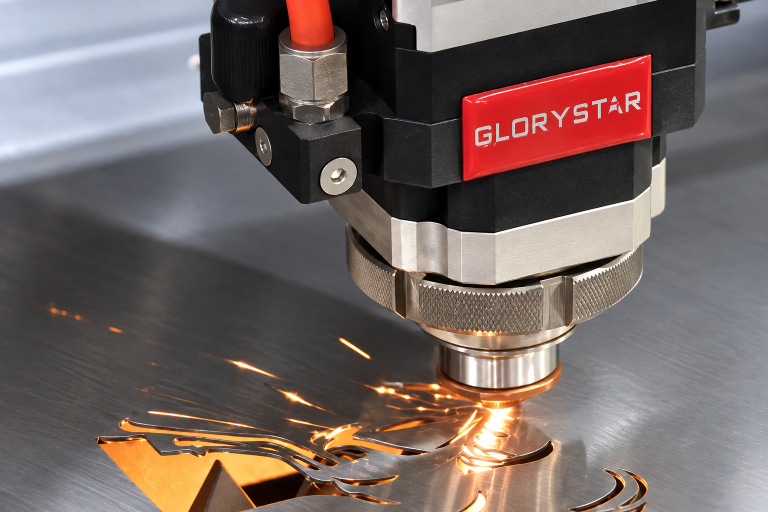
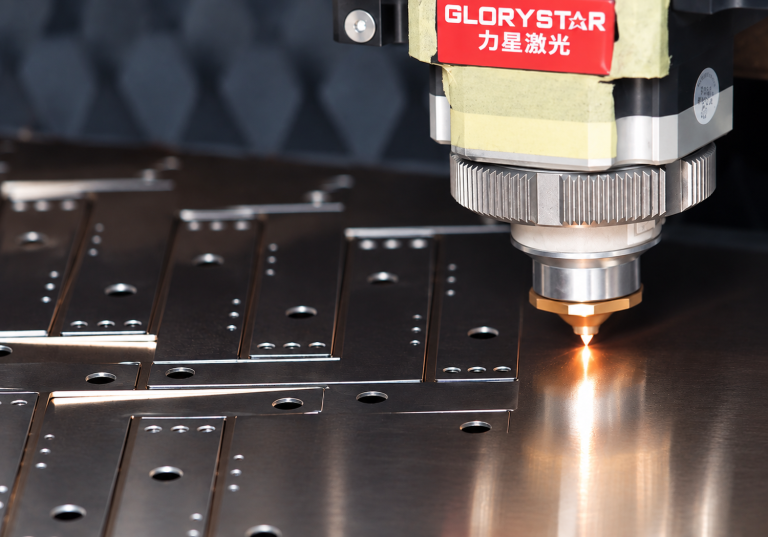
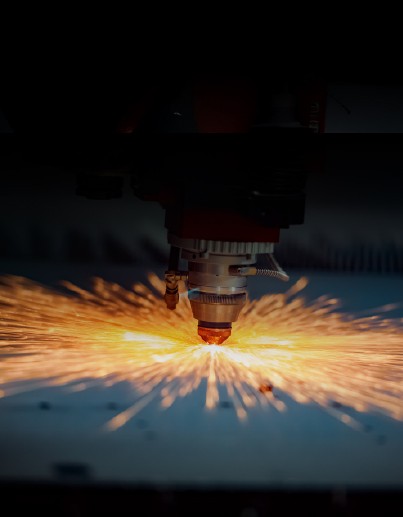
Laser cutting settings play a critical role in determining cutting quality, efficiency, and stability during metal processing. Whether you are working with stainless steel, carbon steel, or aluminum, incorrect laser cutting settings can easily lead to issues such as incomplete cutting, rough edges, or excessive burr formation.
In real production environments, the difference between a stable cut and a failed cut often comes down to small adjustments in laser cutting settings rather than machine capability itself.
Why Laser Cutting Settings Matter
In actual workshops, most cutting problems are not caused by equipment failure, but by improper parameter setup.
When laser cutting settings are not optimized, operators may encounter:
Material not fully cut through
Burn marks or heat deformation
Rough or uneven cutting edges
Increased gas consumption
Lower production efficiency
Many issues that appear to be machine-related are actually caused by incorrect parameter configuration.
Practical Workshop Tip: Quick Problem Diagnosis
Experienced operators do not adjust all parameters at the same time. They follow a clear logic:
Not cutting through means checking speed first
Rough edges or burr usually indicate gas issues
Unstable cutting often relates to focus position
The key principle is to adjust one parameter at a time. Changing power, speed, and gas simultaneously often leads to confusion and unstable results.
Laser Power – How to Adjust Correctly
Laser power determines how much energy is delivered to the material, but it is often misunderstood.
In real operation:
Increasing power without adjusting speed can worsen cutting quality
Excess power leads to overheating instead of better penetration
Insufficient power results in incomplete cutting
The correct approach is to optimize speed first, then fine-tune power based on cutting stability.
Practical Tip: Common Power Mistake
A common mistake is increasing power immediately when cutting fails.
In many cases, the real issue is not power but speed imbalance. Excess power can create unstable heat zones and reduce overall cut quality. Balanced adjustment is more effective than simply increasing output.
Cutting Speed – The Most Sensitive Parameter
Cutting speed is one of the most critical elements in laser cutting settings.
In real production:
Too fast leads to incomplete cutting
Too slow causes heat accumulation and rough edges
Unstable speed results in inconsistent cutting quality
Practical Tip: Three-Level Speed Testing Method
Instead of guessing the correct speed, a structured approach is more reliable:
Test three levels:
Fast
Medium
Slow
The correct setting is usually the one that provides stable cutting, clean edges, and no signs of overheating.
Gas Type and Pressure – Often Overlooked
Assist gas directly affects cutting quality and stability.
Oxygen is commonly used for carbon steel and provides faster cutting
Nitrogen is used for stainless steel to achieve clean, oxidation-free edges
In practice:
Low pressure increases burr formation
Incorrect gas type causes poor edge quality
Unstable gas flow leads to inconsistent cutting results
Practical Tip: Gas First Rule
If burr appears suddenly during cutting, gas should be checked before adjusting power or speed.
In industrial production, a large proportion of cutting defects are related to gas issues rather than laser power.
Focus Position – The Hidden Key Factor
Focus position determines where the laser beam is concentrated during cutting.
If focus is incorrect:
Cutting width becomes inconsistent
Edge quality decreases
Stability is affected during processing
Practical Tip: Focus Adjustment Method
Focus should be adjusted gradually rather than randomly:
Make small vertical adjustments step by step
Perform short test cuts after each adjustment
Observe edge sharpness and cutting stability
The correct focus position is where cutting sparks are stable, edges are smooth, and the bottom cut is clean.
Laser Cutting Settings for Different Materials
Different materials require different adjustment logic due to their physical properties.
Stainless steel requires nitrogen protection to maintain clean edges and is sensitive to heat and parameter changes.
Carbon steel is more flexible and is commonly cut using oxygen, allowing higher cutting efficiency.
Aluminum is highly reflective and requires stable laser cutting settings, where even small adjustments can significantly affect performance.
Common Problems and Real Fix Methods
Not cutting through
Instead of increasing power immediately:
Reduce cutting speed first
Check gas flow
Adjust power only if necessary
Burr on edges
Correct adjustment order:
Check gas pressure
Check focus position
Adjust cutting speed
Adjust power if required
Rough edges or burn marks
These issues are usually caused by excessive heat or unstable speed.
The correct fix is to stabilize cutting speed, balance power, and ensure proper gas flow.
Practical Tip: Correct Troubleshooting Order
In real production environments, problems should always be solved in the following order:
Gas
Speed
Focus
Power
Following this sequence prevents unnecessary parameter confusion and reduces downtime.
How to Optimize Laser Cutting Settings
Laser cutting settings should be optimized systematically rather than adjusted randomly.
A stable workflow includes:
Starting from baseline parameters
Adjusting speed first
Fine-tuning focus position
Adjusting gas pressure last
Saving stable parameter combinations for reuse
This approach improves consistency and reduces trial-and-error time in production.
Practical Tip: How Professional Operators Work
In industrial environments, experienced operators do not constantly change settings. Instead, they:
Store proven parameter sets for each material
Organize settings by thickness and gas type
Reuse stable combinations to maintain consistency
This method significantly improves production efficiency and reduces error rates.
Conclusion
Laser cutting settings are not fixed values but a dynamic system that must be adjusted according to material type, thickness, and real cutting conditions.
In practical applications, the best results come from understanding cutting behavior and adjusting parameters in the correct order rather than relying on theoretical numbers.
Mastering laser cutting settings is ultimately about understanding how the machine responds in real production environments and making controlled, logical adjustments.